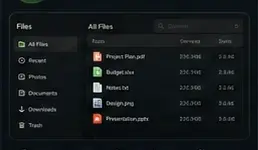
01 · Files
Move Files Everywhere
Browse, organize and transfer explicitly approved files while the source device and owner authority remain visible.
Files walkthrough →Four core workflows
CAMIDAX connects files, approved devices, media and Forge through the same identity, authority and status model.
01 · Files
Browse, organize and transfer explicitly approved files while the source device and owner authority remain visible.
Files walkthrough →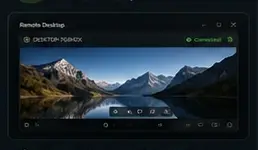
02 · Remote
Select a paired Windows computer, verify the requested authority and start a protected session the owner can revoke.
Remote walkthrough →
03 · Media
Choose personal media, tracks, subtitles and a trusted destination while retaining direct ownership of the source files.
Media walkthrough →
04 · Forge
Ask independent advisers, expose disagreement and let Forge synthesize a result without bypassing CAMIDAX permissions.
Forge walkthrough →Beyond the core four
Explore Sync, Devices, Security, Mobile, the Control Center and signed update delivery.