CAMIDAX platform
Twelve areas.
One authority model.
Every CAMIDAX area below has a real visual preview, a current maturity label and a focused walkthrough explaining its workflow and security boundary.
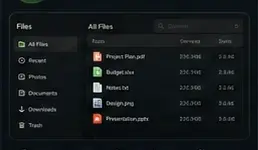
Explorer-familiar browsing, search, views and explicit remote shares.
Open Files walkthrough →
Approved Windows sessions with visible ownership and session state.
Open Remote walkthrough →
Personal media organization, playback, subtitles and resume state.
Open Media walkthrough →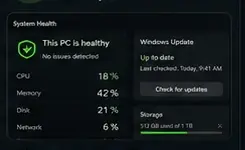
Readable performance, service, storage, security and update signals.
Open Health walkthrough →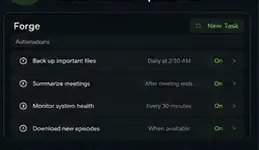
Permission-gated automation and optional cross-model comparison.
Explore Forge →
Context-aware handoff of approved text, links and files.
Open Clipboard walkthrough →SYNCED
Opt-in directions, schedules and conflict review across trusted devices.
Open Sync walkthrough →Pair, rename, recognize and revoke every household endpoint.
Open Devices walkthrough →Decision: owner approval required
Deterministic permissions govern protected actions and AI authority.
Open Security model →Touch-native Android and iPhone access to approved workflows.
Open Mobile walkthrough →Every subsystem shares one navigation, identity and status model.
Open Control Center walkthrough →Package signatureVERIFIED
State compatibilityPASSED
Owner approvalWAITING
Signed Windows delivery with state preservation and recovery.
Open Updater walkthrough →One connected product
See how the areas work together.
The four core workflows show how CAMIDAX crosses subsystem boundaries without losing owner control.